Key takeaways
- 1WeTransfer is best for one-off transfers to strangers; agencies outgrow it when branded recurring handoffs matter.
- 2MASV is the right pick for 50 GB+ video files but pay-per-GB pricing escalates fast across a year.
- 3Pixeldrain has a generous free tier but the download experience reads as 'tech project,' not 'professional studio.'
- 4If branding on the link matters to your client perception, custom-domain delivery (BulkShare) is the only category that solves it.
- 5Pick the axis that matters: speed (WeTransfer), scale (MASV), brand (BulkShare), privacy (Pixeldrain), or workflow integration (Dropbox).
If you've ever paused before pasting a WeTransfer link into a client email, you already know the problem. Generic file sharing services treat your professional handoff like a casual file dump — third-party branding, short availability windows on lower tiers, and a download page that points attention away from your business.
This isn't a "WeTransfer is bad" post. WeTransfer is great for what it is. The question is: when your agency is sending a 2 GB project file to a paying client, is "what it is" enough?
Here are 7 alternatives, what they're actually good at, and where each one falls short.
How I picked these tools
Three rules:
- Must work for agencies and freelancers, not just personal file dumps
- Must be a real product in 2026, not a side project that looks abandoned
- Must have a free tier so you can actually test it before committing
I've used most of these in real client work. Where I haven't, I've said so.
Quick comparison table
| Tool | Free tier | Custom domain | Password | Best for |
|---|---|---|---|---|
| WeTransfer | 10 transfers or 3GB/30 days | No | Yes | Quick one-off transfers |
| Smash | Unlimited size, 14-day | No | Yes | Massive single files |
| Filemail | 5 GB, 7-day | No | Yes | Casual large transfers |
| MASV | 20 GB free credit | No | Pay-per-GB | Video/film delivery |
| Dropbox Transfer | 100 MB | No | Plus only | Existing Dropbox users |
| Pixeldrain | 20 GB free | No | Yes | Privacy-focused transfers |
| BulkShare | 2 GB anonymous | Yes (Pro) | Yes (Pro) | Agencies wanting branded delivery |
The right one depends on what you actually care about. Below, the honest tradeoffs.
1. WeTransfer — the default everyone defaults to
Free tier: 10 transfers or 3GB every 30 days, password protection included, transfers active for 1–3 days.
Paid: Starter raises the rolling allowance to 300GB; Ultimate is the higher-volume individual tier; Teams adds workspace and user management.
What it does well: Speed. Simple. Universal — every client over 25 has used it.
The actual problem: Your client downloads from wetransfer.com, not your-agency.com. The lower tiers are still built around transfer allowances and short availability windows, so recurring handoffs can still become "did you get the files?" follow-up work.
Use it when: You're sending a one-off file to someone outside your usual workflow. A new prospect, a vendor, a journalist.
Skip it when: You're sending recurring deliverables to the same paying clients. You'll outgrow it within three projects.
2. Smash — the "no size limit" flex
Free tier: Unlimited file size, but transfers are throttled on free; 14-day links.
Paid: From €5/mo for prioritized transfers and 1-month expiry.
What it does well: That "unlimited" file size headline is real. If you're handing off a 50 GB raw video file, Smash actually works without making you split the archive.
The actual problem: Free-tier transfers are throttled — sending a 20 GB file might take hours. The download page is also branded Smash, not yours.
Use it when: You're moving a single oversized file once a month and don't care about branding.
Skip it when: You need consistent speed or anything client-facing.
3. Filemail — the WeTransfer clone
Free tier: 5 GB per transfer, 7-day expiry.
Paid: From $10/mo for password protection and 30-day expiry.
What it does well: Slightly more generous free tier than WeTransfer. Cleaner UI in 2026 than it had two years ago.
The actual problem: Same fundamental issue as WeTransfer — third-party domain, generic experience.
Use it when: You want a WeTransfer-style flow with a touch more breathing room on the free tier.
Skip it when: You're already past 5 GB per transfer or want any branding control.
4. MASV — the video industry favorite
Free tier: 20 GB free credit on signup.
Paid: Pay-per-GB ($0.25/GB sent, no monthly minimum).
What it does well: Built specifically for media production teams moving 100 GB+ files internationally. Resumable transfers that survive network drops. Industry-trusted in film and broadcast.
The actual problem: Pay-per-GB pricing means a single 50 GB delivery costs $12.50. Across a year of weekly client deliveries, you can spend more than a $99/mo unlimited service. Also overkill for the median agency project.
Use it when: You're doing video production, post-production, or any field where a 100 GB raw delivery is normal.
Skip it when: Your typical file is under 10 GB.
5. Dropbox Transfer — for the Dropbox-already crowd
Free tier: 2 GB per transfer on Dropbox Basic.
Paid: Dropbox Transfer limits scale by Dropbox plan, with paid plans reaching 50 GB, 100 GB, or 250 GB depending on tier and add-ons.
What it does well: If you already pay for Dropbox, you already have it. Recipients don't need a Dropbox account.
The actual problem: Free tier is uselessly small (100 MB). You're really paying for Dropbox storage and getting Transfer as a feature. Branding is still Dropbox's, not yours.
Use it when: You're already paying for Dropbox and need to send something occasionally.
Skip it when: You're not on Dropbox or you want any branding control.
6. Pixeldrain — the privacy-focused dark horse
Free tier: Up to 20 GB per file, 60-day expiry, no signup.
Paid: Pro for $4/mo gets you longer retention and ad-free downloads.
What it does well: Generous free tier, EU-hosted, minimal tracking. Loved in privacy-conscious communities.
The actual problem: The download page looks like a tech-forward fan project (because it kind of is). Not the experience you want a corporate client opening. Free downloads have ads.
Use it when: You're sending to other technical people who care about privacy.
Skip it when: Your client is non-technical and judges your professionalism by the link they receive.
7. BulkShare — the branded-delivery option
Disclosure: I built this. I'll keep this section honest.
Free tier: 2 GB anonymous (no signup, 24h expiry), or 1 GB total storage with a free account.
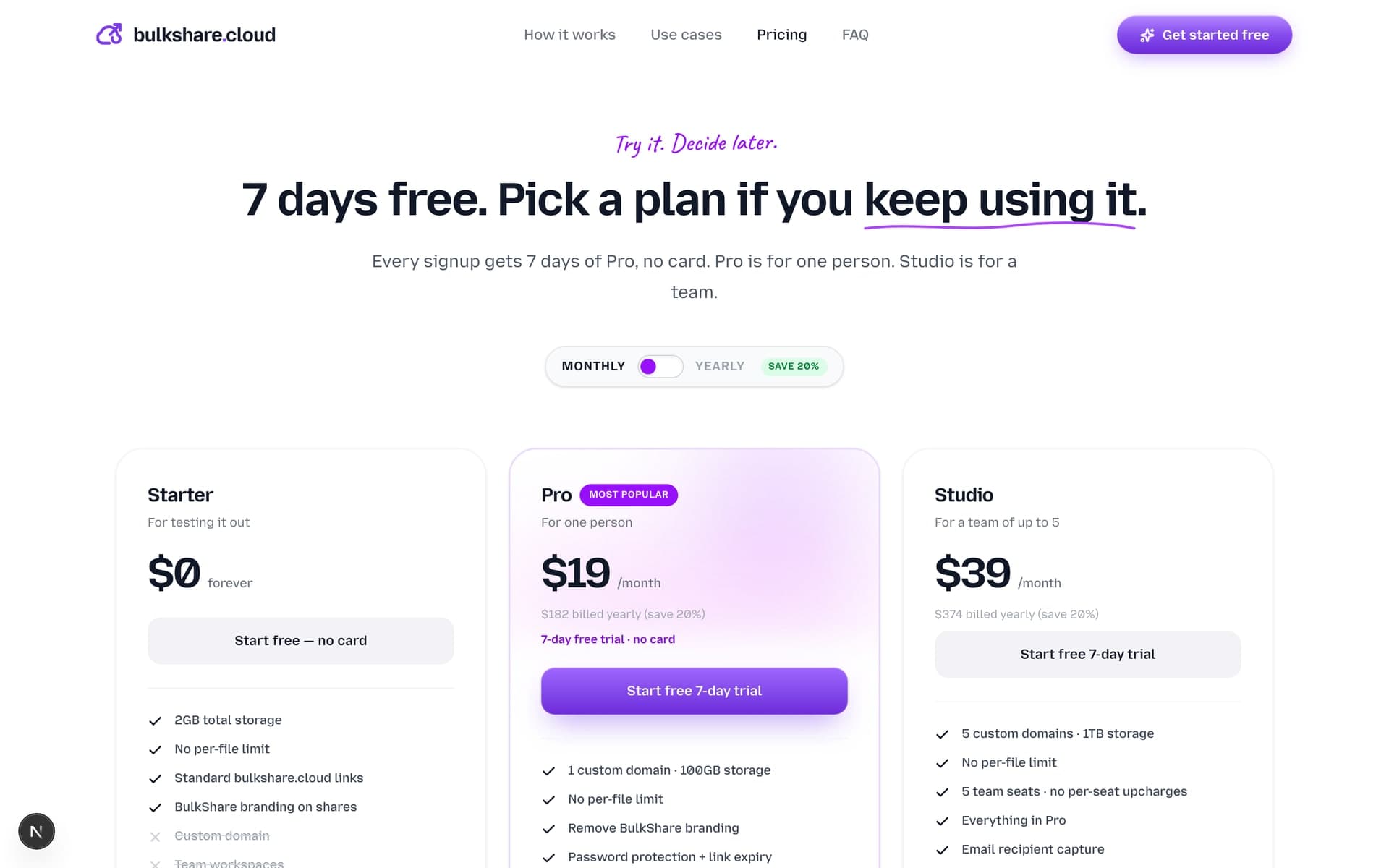
Pro ($29/mo or $240/yr): Custom domain, 1 TB storage, 5 custom domains, up to 5 team seats, password protection, link expiry, view + download analytics.
What it does well: Custom domain delivery is the differentiator. Your clients download from files.your-agency.com, not bulkshare.cloud. No ads. View analytics show when each recipient actually opened the link, which beats the WeTransfer chase. Resumable uploads. Built for the recurring agency client-handoff workflow specifically.
The actual problem: Smaller team than the incumbents. If you need a deeply integrated DAM (digital asset management) system, BulkShare doesn't try to be that. It's optimized for the file-sharing layer specifically.
Use it when: You're an agency or freelancer doing recurring client deliveries and your brand on the link matters.
Skip it when: You only send files once a quarter to random people. WeTransfer is fine for that.
So which should you pick?
A simple decision tree:
- Sending one-off files to strangers? WeTransfer or Filemail.
- Moving 50 GB+ video files? MASV (if budget) or Smash (if not).
- Already on Dropbox? Dropbox Transfer.
- Care deeply about privacy? Pixeldrain.
- Running an agency that bills clients? Branded delivery — BulkShare or similar.
The tools aren't really competing on the same axis. WeTransfer competes on speed. MASV competes on scale. BulkShare competes on professionalism of the client experience. Pick the axis that matters to your business.
What WeTransfer actually got right (and why I still use it)
For all the criticism, WeTransfer pioneered something nobody had before: instant file sharing without an account on either end. That's still useful. The download page is clean, the brand is familiar, and the free tier is workable for occasional sends.
The reason agencies outgrow it isn't because WeTransfer is bad — it's because clients eventually deserve a more polished delivery experience than a generic third-party link. That's true of any tool a freelancer first reaches for.
If you're handing off your first three client projects, use WeTransfer and don't overthink it. If you're handing off your three-hundredth, the decision starts to matter.
Frequently asked questions
What is the best free WeTransfer alternative in 2026?
For one-off transfers, WeTransfer's own free plan is still useful, now with 10 transfers or 3GB every 30 days. Filemail gives a larger casual free send, Pixeldrain is generous for technical users, and BulkShare is better when you care about branded client delivery rather than a generic transfer page.
Why do agencies switch away from WeTransfer?
Three reasons we hear repeatedly: (1) the link sends clients to wetransfer.com instead of the agency's domain, (2) Free and Starter are built around transfer allowances and short availability windows, and (3) upgrading for more volume still does not make the client link look like your agency's own URL.
Is WeTransfer secure for client files?
WeTransfer uses HTTPS in transit and encryption at rest. For most non-regulated client work it's adequate. For NDA-covered, financial, or pre-release brand work, use password protection and expiry controls. WeTransfer now includes password protection in lower tiers, while BulkShare adds the branded-domain layer on top.
What's the largest file you can send with WeTransfer alternatives?
Smash supports unlimited file size on the free tier (with throttled speeds). MASV handles 100 GB+ files with resumable transfers and is the industry standard for video and broadcast. Pixeldrain caps at 20 GB per file. BulkShare's per-file size depends on your plan storage, with files up to 100 GB on Pro and 1 TB of total storage.
Which WeTransfer alternative supports custom domains?
Custom domain support for download links is rare. WeTransfer's normal transfer flow still sends clients to WeTransfer-branded URLs. Dropbox Transfer doesn't offer custom-domain transfer links. BulkShare offers it on Pro ($29/mo) — your clients download from files.your-agency.com instead of a third-party brand.
Sources & further reading
- New WeTransfer subscription plans — WeTransfer Support
- WeTransfer transfer limits — WeTransfer Support
- Smash pricing and plans — Smash
- Filemail plans and limits — Filemail
- MASV pay-per-GB pricing — MASV
- Dropbox Transfer overview — Dropbox
- Pixeldrain about and limits — Pixeldrain

Written by
Api Alam
Founder of BulkShare
Full-stack developer building BulkShare — branded file delivery for agencies and client-service teams.
Follow on X