Key takeaways
- 1WeTransfer's old Pro-style lineup has been restructured into Free, Starter, Ultimate, and Teams.
- 2Free now includes password protection and file requests, but it is capped at 10 transfers or 3GB every 30 days.
- 3Starter raises the allowance to 300GB in a 30-day window, while Ultimate is the unlimited individual tier.
- 4The pricing question is no longer just 'is Pro worth it?' — it is whether you need transfer volume or branded client delivery.
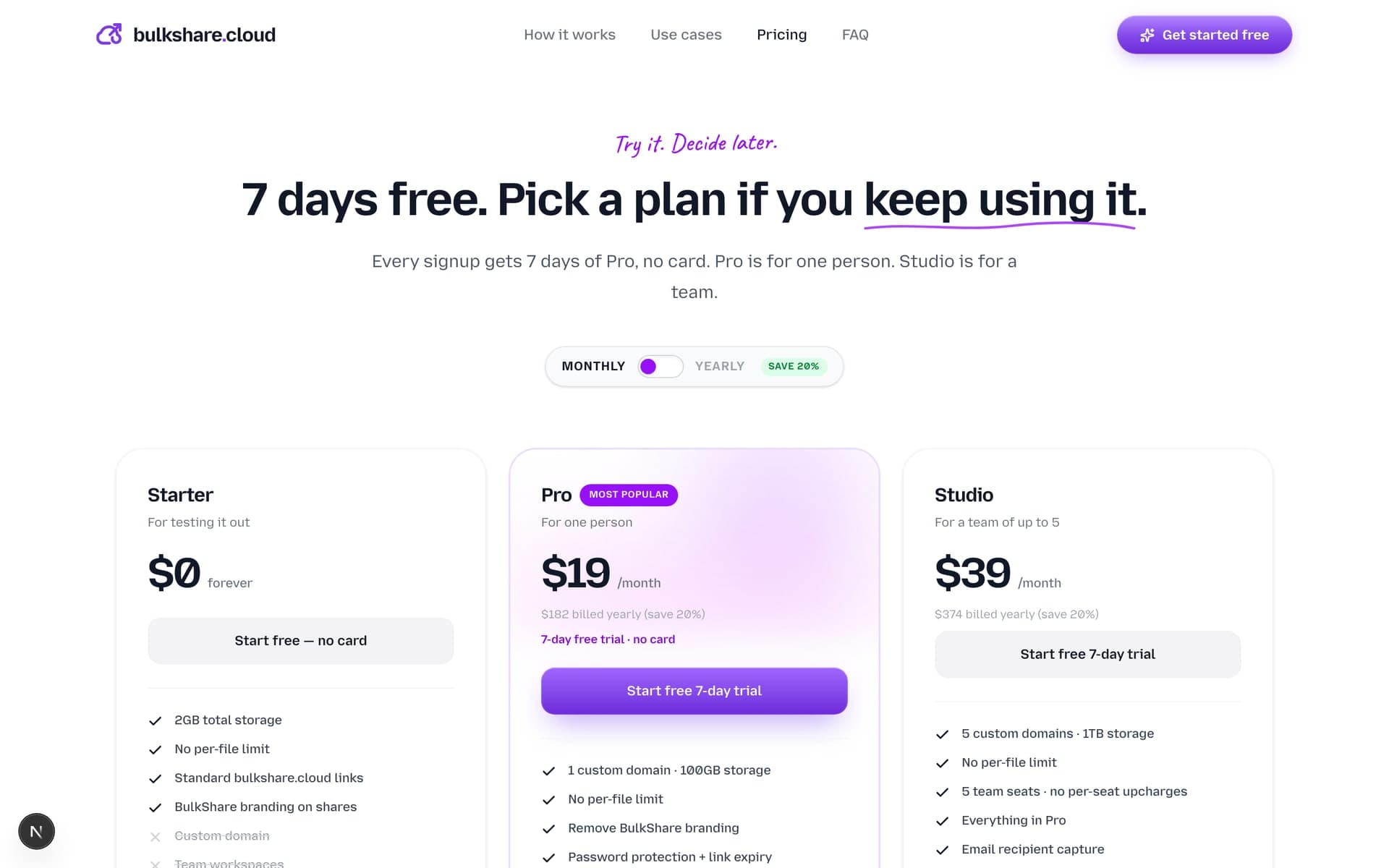
- 5BulkShare Pro at $29/mo is the better fit when your main requirement is links from your own domain with delivery analytics.
Short answer: WeTransfer Pro is still worth it in 2026 if you mostly need fast 200 GB transfers and don't care that the share URL is on we.tl. If branded client delivery, custom domains, or download tracking matter, Pro stops paying back and a tool like BulkShare or a WeTransfer alternative built for agencies is the better spend.
For years, the easy question was: "Is WeTransfer Pro worth paying for?" That question is now stale. WeTransfer restructured its plans, and the old Pro/Plus/Collaborate lineup is no longer the clean comparison point it used to be.
The current decision is sharper: do you need more WeTransfer volume, or do you need a more professional client handoff on your own domain?
What changed
WeTransfer says its newer subscription lineup is Free, Starter, Ultimate, and Teams. Older plans like Pro, Plus, Distribute, Transfer, and Collaborate are no longer available for users who want to move back to them. Former paid users are pushed toward Ultimate at renewal.
That matters because a lot of older comparison posts still talk like "$12/mo Pro" is the obvious upgrade path. It is not the current buyer frame anymore.
The current WeTransfer plan logic
| Plan | What it is for | Main limit |
|---|---|---|
| Free | Occasional sending | 10 transfers or 3GB every 30 days |
| Starter | Higher occasional volume | 10 transfers or 300GB every 30 days |
| Ultimate | Individual high-volume sending | Unlimited-style paid tier |
| Teams | Shared workspace and team management | Team-oriented billing and user management |
WeTransfer also changed the Free plan in a way that helps casual users: password protection and file requests are now included. But Free and Starter still have rolling 30-day usage limits, and Free/Starter transfers can stay active for up to 3 days.
What WeTransfer is still great at
One-off sending. WeTransfer remains the fastest default when you need to send a file to someone who does not want another account.
Recipient familiarity. Most clients recognize the brand. For low-stakes sends, that is enough.
Simple transfer UX. You upload, paste an email or copy a link, and move on. There is little workflow overhead. (If a send involves many loose files, it's worth 30 seconds to create a ZIP file online first so the recipient downloads one archive instead of a pile of attachments.)
Where the pricing gets awkward for agencies
If you are an agency, freelancer, photographer, video editor, or studio, the pain usually is not "I need a random transfer link." The pain is: "I want this delivery to look like it came from my business, and I want to know if the client opened it."
That is where WeTransfer's plan structure is less direct. Upgrading solves volume. It does not turn wetransfer.com into files.your-agency.com.
WeTransfer vs BulkShare
| Need | WeTransfer | BulkShare |
|---|---|---|
| Quick one-off file send | Strong | Works, but not the main wedge |
| Custom domain links | Not the normal self-serve workflow | Pro includes up to 5 custom domains |
| Password protection | Included on current Free/Starter structure | Included on Pro |
| Open/download analytics | Transfer-oriented | Built around client handoff tracking |
| Team plan | Teams | Pro: 5 seats, 5 domains, 1TB |
Pick WeTransfer if you mostly send files to strangers, vendors, friends, or one-off recipients and do not care what domain the download link uses.
Pick BulkShare if your client sees the file handoff as part of the service they paid for. Your link, your domain, your brand, your analytics.
The honest verdict
WeTransfer's newer plans are better for casual users than the old comparison suggests. Password protection moving into the lower tiers is a real improvement. The tradeoff is that Free and Starter now revolve around rolling 30-day transfer limits, and the paid decision points moved away from the old "$12 Pro" mental model.
If all you need is more transfer volume, stay in WeTransfer's world and pick the plan that fits your sending pattern.
If your reason for upgrading is professionalism, trust, and proof of delivery, look at branded delivery instead. That is the job BulkShare Pro is built for: files.your-agency.com, password/expiry, and open/download analytics for $29/mo.
Frequently asked questions
Does WeTransfer Pro still exist?
For new plan selection, WeTransfer says the older Pro, Plus, Distribute, Transfer, and Collaborate plans are no longer available. The current public structure centers on Free, Starter, Ultimate, and Teams, with older users moved toward Ultimate at renewal.
What does WeTransfer Free include now?
WeTransfer's Free plan now includes up to 10 transfers or 3GB worth of transfers every 30 days, password-protected transfers, file requests, transfer overview, and transfers that stay active for 1 to 3 days.
What is WeTransfer Starter?
Starter is the lower paid tier in the newer WeTransfer structure. WeTransfer describes it as allowing up to 10 transfers and 300GB worth of files in a rolling 30-day period, with formerly premium features like password protection and file requests included.
When is WeTransfer Ultimate the better pick?
Ultimate is the better fit when you mostly care about unlimited transfer volume inside the WeTransfer ecosystem and do not need custom-domain delivery on your own URL.
Does WeTransfer include custom domains for normal self-serve plans?
Custom-domain file delivery is still not the normal WeTransfer use case. If the link itself needs to look like files.your-agency.com, BulkShare Pro at $29/mo is built around that workflow.
Sources & further reading
- New WeTransfer subscription plans — WeTransfer Support
- WeTransfer transfer limits — WeTransfer Support
- What a free WeTransfer account includes — WeTransfer Support
- WeTransfer transfer availability — WeTransfer Support
- BulkShare pricing — BulkShare

Written by
Api Alam
Founder of BulkShare
Full-stack developer building BulkShare — branded file delivery for agencies and client-service teams.
Follow on X